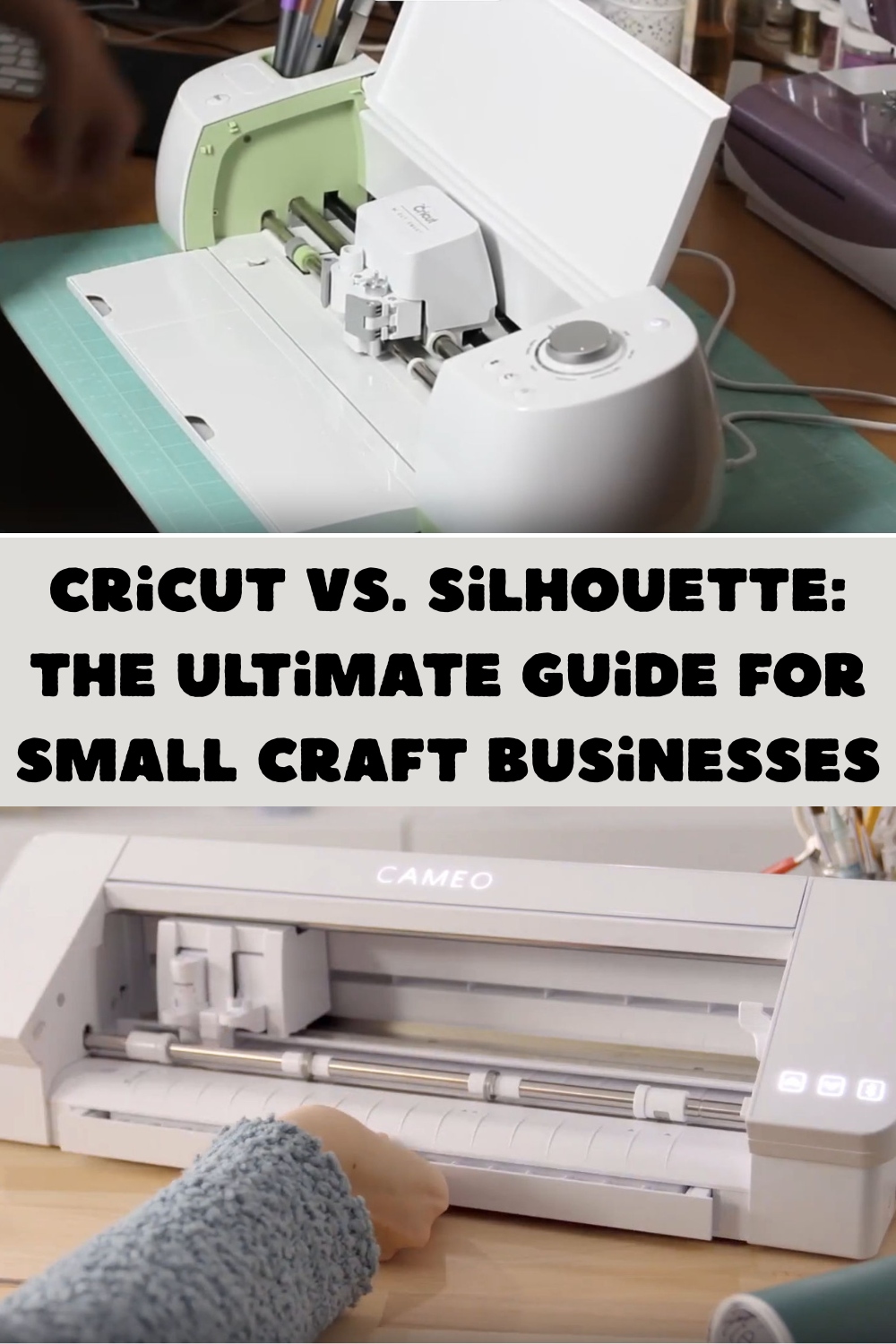
Cricut vs. Silhouette: The Ultimate Guide for Small Craft Businesses
Deciding between Cricut vs Silhouette for small business in 2026 is a critical choice for any professional crafter. This investment defines your daily workflow and your long-term profit margins. Currently, both brands have released powerful new hardware with AI-integrated software. These updates aim to speed up production and simplify complex tasks.
In this guide, we provide a technical deep-dive into both ecosystems. We will analyze hardware specs, software flexibility, and real-world ROI. Our goal is to help you choose the right machine to maximize your efficiency. Whether you need high-speed output or total creative control, this comparison has the answers you need for your boutique business.
Technical Comparison: 2026 Flagship Models
When positioning your business, hardware specs are the foundation. Below is a comparison of the current industry standards for commercial-scale hobbyist machines.
| Feature | Cricut (Venture / Maker 3 series) | Silhouette (Cameo 5 / Curio 2 series) |
| Max Cutting Force | Up to 4 kg (Venture) | Up to 5 kg (Cameo 5 / Curio 2) |
| Specialty Tools | Rotary, Knife, Scoring, Engraving | Power Tools (Heat Pen, Embossing, Leather) |
| Software Platform | Design Space (Cloud-based) | Silhouette Studio (Desktop-based) |
| Material Width | Up to 25 inches (Venture) | Up to 24 inches (Cameo 5 Plus/Pro) |
| AI Integration | Auto-Layout & Image Generation | Advanced Path Optimization & AI Trace |
Software Ecosystem: Efficiency vs. Control
Cricut Design Space: The Streamlined Workflow
Cricut continues to lead in user accessibility. For a small business that values speed and a low learning curve, Design Space offers a simplified environment. In 2026, its cloud-syncing capabilities are unmatched, allowing you to start a project on a tablet and finish on a desktop seamlessly.
- Pros: Intuitive UI, massive library of ready-to-cut assets, and high reliability for standard vinyl and HTV projects.
- Cons: Requires a constant internet connection for most features; limited advanced vector editing tools.
Silhouette Studio: The Professional Design Powerhouse
If your business relies on custom design files for cutting machines, Silhouette Studio is effectively a «lite» version of Adobe Illustrator. It offers granular control over cut settings, weeding lines, and nesting features that save material costs—a vital factor for high-volume Etsy sellers.
- Pros: Offline functionality, robust vector manipulation, and professional-grade «Business Edition» upgrades.
- Cons: Steeper learning curve; software can be resource-heavy on older hardware.
Advanced Material Handling: Beyond Vinyl
In 2026, a «boutique» business must diversify. Your choice of machine dictates what products you can offer:
- Fabric & Apparel: Both brands perform excellently with the Rotary Blade, but Cricut’s curated ecosystem of «Smart Materials» allows for faster mat-less cutting of heat transfer vinyl (HTV).
- Wood & Acrylic: The Cricut Maker 3 remains the gold standard for cutting 2.4 mm balsa wood and thick leather.
- Specialty Media: The Silhouette Curio 2 has taken the lead for unique small business offerings, such as embossing cardstock and stippling metal, thanks to its flatbed architecture.
ROI & Cost of Ownership: The True Business Expense
When calculating the return on investment (ROI) for a small business, the initial machine price is only the beginning. In 2026, recurring costs for blades, mats, and software significantly impact your monthly margins.
| Expense Category | Cricut Ecosystem | Silhouette Ecosystem |
| Software Cost | Free, but requires Cricut Access ($10/mo) for full design library. | Free Standard, but Business Edition ($100 one-time) is mandatory for SVG exports. |
| Material Costs | High. Encourages «Smart Materials» which are more expensive per square inch. | Lower. Open-format rollers accommodate almost any third-party vinyl or cardstock. |
| Blade Longevity | Proprietary blades are durable but costly to replace (approx. $15–$20 each). | Offers «AutoBlade» and manual options; third-party blade adapters are easier to find. |
| Mat Replacement | Standard mats lose «stick» quickly with heavy use; requires frequent cleaning. | Silhouette’s «Electrostatic Mat» technology (on Curio 2/Cameo 5) eliminates sticky mats entirely. |
The Expert Take: Cricut’s model is built on convenience, which often comes at a higher premium. Silhouette’s model favors the «DIY-Industrialist» who is willing to invest in professional software once to avoid monthly subscriptions and high-margin proprietary materials.
AI-Integrated Features: Efficiency in 2026
The biggest shift in 2026 is the integration of Artificial Intelligence into design software. Both brands have leveraged AI to solve the most time-consuming part of a small business: Design Prep.
- Cricut AI Auto-Layout: This feature automatically «nests» your design files for cutting machines on the mat to ensure the absolute minimum amount of vinyl or paper waste. For a small business, a 15% reduction in material waste can equal hundreds of dollars in savings annually.
- Silhouette AI Image Trace: This tool has reached near-perfection in 2026. It can take a low-resolution photo or a hand-drawn sketch and instantly convert it into clean, high-fidelity cut paths without the manual «point-editing» that used to take hours.
- Smart Path Optimization: Both machines now use AI to determine the most efficient order of cuts. Instead of the blade jumping randomly across the mat, the software calculates a path that reduces «travel time» by up to 30%, extending the life of your motor and getting orders out the door faster.
Final Verdict: Cricut vs Silhouette for Small Business
The decision ultimately depends on your business model and your technical comfort level.
Choose Cricut If:
- You prioritize speed and ease of use.
- You want a «plug-and-play» experience with high-quality, ready-made designs.
- Your business focuses on standard apparel (HTV) and cardstock projects.
- You enjoy a mobile-friendly workflow (iPad/Tablet).
Choose Silhouette If:
- You are a power user who creates original, complex vector designs.
- You want to minimize material costs by using off-brand or industrial rolls of vinyl.
- You require offline functionality and don’t want to rely on a cloud server.
- You want to branch out into specialty crafts like metal etching, embossing, or thick material cutting.
Expert Summary: In 2026, Cricut remains the king of «User Experience,» making it the better choice for the solo-preneur who needs to work fast. Silhouette remains the choice for the «Pro-Maker» who wants total control over their overhead and technical output.